
PoolDrive
Your clouds as a Local Disk in Windows
Google Drive, OneDrive, SFTP, FTP and SMB network shares show up in Explorer as a regular disk. Free.
Download for WindowsWindows 10 or 11, 64-bit · free
What it does
A real Local Disk
Your drives show up as a Local Disk with their own letter and work in any program.
Many clouds
Google Drive, OneDrive, SFTP, FTP and Windows/Linux network shares (SMB).
Always mounted
Each drive runs as a Windows service: it mounts by itself, even before anyone signs in.
Background uploads
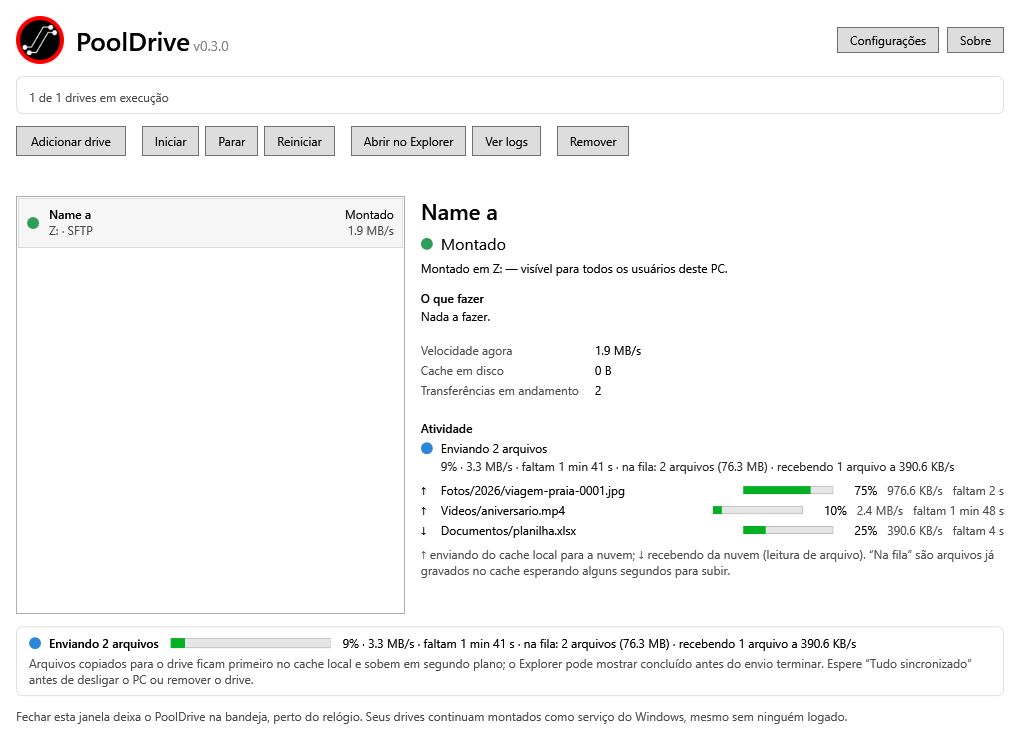
Copy and keep working; PoolDrive uploads and shows the progress.
All included
One installer with the WinFsp driver and rclone. Nothing else to set up.
Alerts and updates
Tray icon, notifications and one-click updates.
How it works
- Download and install PoolDrive.
- Create your free account and sign in to the app.
- Add a drive: pick the cloud, sign in to it and choose a letter. Done, it shows up in Explorer.
Requirements
- Windows 10 or 11, 64-bit.
- Administrator rights to install (PoolDrive installs a driver and services).
- A free PoolDrive account.
FAQ
Is it really free?
Yes, always. The account lets us know how many people use PoolDrive and tell you about new versions.
Why do I need an account?
To follow the project's usage. The app checks your account from time to time; if our server is down, it keeps working for up to 30 days.
Where are my cloud passwords kept?
Only on your PC, in a protected Windows folder. They are never sent to the PoolDrive server.
Google shows an "unverified app" warning. Is it safe?
The warning appears because PoolDrive is still being verified by Google. The access is used only to mount your Drive on your PC.
How do I uninstall it?
Windows Settings › Apps › PoolDrive › Uninstall. You choose whether to keep or delete your drives.